Introduction
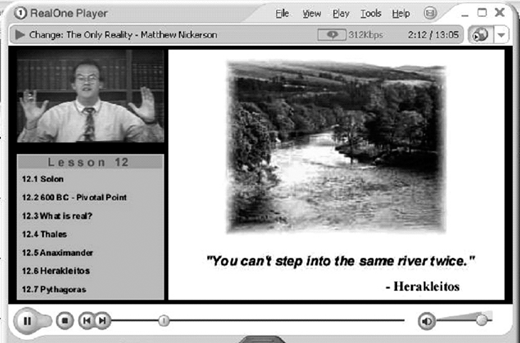
Although the use of film and video has a long history in education, the widespread adoption and use of these technologies have always been hindered by production costs and delivery problems, particularly in the case of distance education. However, the creation and refinement of digital, Web-based video, also called streaming video or Webcast, enables educators to use video technologies in online courses or distance education without being limited by these conventional constraints. One of the most common complaints about distance education from students is the lack of human contact between students and instructors. One method of incorporating the human element into a distance education course is through the use of streaming video (Nickerson, 2003).
Streaming video is a new instructional technology used to deliver audio and video presentations over the Internet, allowing the content to play, or “stream,” as it is being downloaded from the source (Lenoir Community College, 2002). The viewer does not have to download a file to play back once the download completes. Instead, the file is simultaneously downloaded and viewed, leaving behind no physical file on a viewer’s machine (Reed, 2001). Recent studies indicate that streaming video shows promise in distance education in enhancing student attention, creating more effective instruction, and facilitating learning (Cohen, 1997; Ertmer, Addison, & Lane, 1999; Giddings, 2000; Sanders & Morrison-Shetlar, 2001). With such positive results as these studies, distance educators and instructional technology leaders should explore the possibilities of this technology in depth and evaluate whether they can utilize its features in their own teaching or distance education programs.
Types of Streaming Video
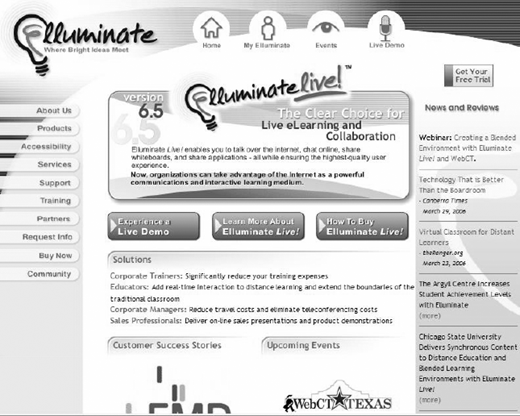
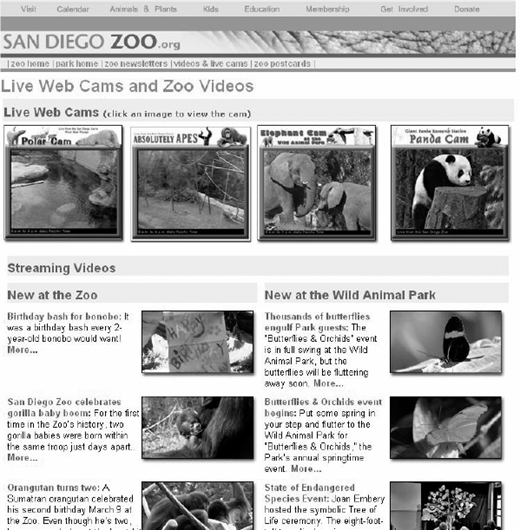
There are two major categories of streaming video: live and archived (Lamb & Johnson, 2002). Live Webcasts include realtime events that are viewed as they are occurring, allowing some viewers even to interact with the event. Often, live events that allow viewer interactions are referred to as video conferencing. Examples of live Webcasts include live, online lectures given in a program such as Elluminate, National Geographic Live Events, traffic cams, videos of outer space, NASA TV, Newsline, and Exploratorium Webcasts. Archived Webcasts are simply Webcasts that are prerecorded and can be played back at a later time. Many real-time or live events are often recorded so that viewers can play them at their convenience. For instance, if an instructor uses Elluminate and records the session, viewers can then replay the session at a later time if they were unable to attend the class or if they just want to re-watch the meeting.
Providers of Streaming Video
There are thousands of Web sites and companies that offer video streaming in one or more formats. Often, companies and services will offer both live and archived productions that can be viewed within a Web browser or played in a stand-alone viewer such as QuickTime or Windows Media Player. Emerging leaders in the area of video streaming include HorizonLive, LearningWeek Live (LWL), CREN, and the TLT Group (Bell, 2003). However, there are also video streaming services available to educators for free or for a minimal charge. Some of the more common providers are discussed below.
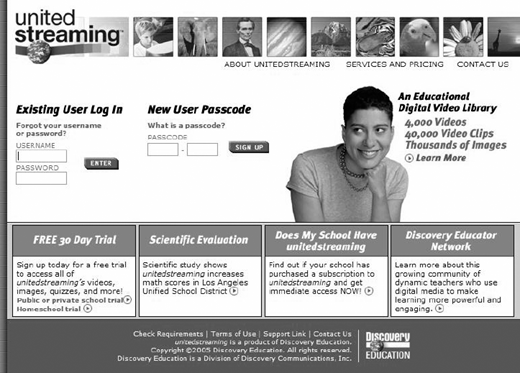
UnitedStreaming is an archived video streaming service created by Discovery Education that contains over 4,000 full-length videos and 40,000 video clips for K-12 education (Discovery Education, 2006). It is the largest and most up-to-date digital video library available today. Not only does the service provide videos for curriculum areas such as mathematics or science, but the service also supplies professional development videos for educators. Educators can search through the vast database of videos by curriculum standard, keyword, grade level, or content area. Additionally, this service provides black-line masters, teacher guides, and standards correlations to use with some of its videos. Empirical studies done on this service in both Los Angeles and Virginia indicate that it is the only standards-based video-on-demand company that has been shown to increase student achievement (Discovery Education, 2006).
EdVideo Online is a free, archived streaming video resource for New York K-12 and adult educators. This service contains over 2,600 full length videos and 26,000 video clips, ranging from mathematics to the visual arts. Similar to United-Streaming, this database can also be searched by curriculum standard, keyword, grade level, or content area and also contains worksheets, blackline masters, and teacher guides that go along with the videos (WPBS-TV, 2006).
Public Broadcasting Service (PBS) is one of the most widely known services for providing video tapes and local programming, but it is also becoming one of the leaders in streaming video as well. PBS is headquartered in Alexandria, Virginia and is a public, nonprofit corporation that is owned and operated by 348 public television stations across the United States. PBS reaches nearly 90 million viewers each week by television and to an increasing number of digital multimedia households. Videos in such categories as nature, history, arts and drama, life and culture, and news can all be watched on the PBS Web site. Companion Web sites also accompany all online videos, and contain additional information such as characters, timelines, maps, and teachers guides (PBS, 2006).
Creation of Streaming Video
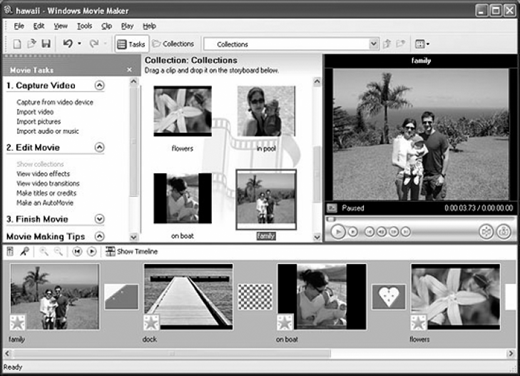
Educators do not have to subscribe to a streaming video service or log onto the Internet to access this powerful resource; they can make their own streaming videos to use within their courses or provide to students. First, deciding whether to create a live or archived video needs to be considered. If editing is a feature that an educator wants to use, creating an archived video is probably the best choice. Production software such as Elluminate, Microsoft Producer, Adobe Production Studio, iMovie, Macromedia Flash, QuickTime Authoring Studio, and Final Draft can take footage from an analog or digital camcorder and create streaming files that can be put into online courses or on the Internet. Stilborne and MacGibbon (2001) offer the following guidelines to educators who choose to create and use archived video streaming in their distance education courses:
Events should be under 90 minutes and structured around a few basic themes;
Use good quality equipment and check wiring connections to ensure good audio quality;
Use an external microphone to eliminate unwanted background noise;
Use a simple backdrop;
Close-up shots with minimal movement work better than distance shots;
Avoid a lot of camera movement or zooming;
Use simple, graphic visuals to accompany a video presentation.
Educators could also choose to do a live Webcast for their students, using software such as Elluminate to facilitate the discussion. However, it is suggested that if an educator chooses to do a live video stream with a class, the instructor should take care to record the event so that those who are unable to attend or want to rewatch the broadcast have the opportunity (Nickerson, 2003).
Uses of Streaming Video in Distance Education
The most common use of video streaming in distance education is prerecorded or live lectures given by the instructor. Web-based prerecorded lectures are often referred to as asynchronous lectures, lectures on demand, just-in-time lectures, or simply Web-lectures (Brusilovsky, 2000). Many faculty members consider Web-lectures invaluable to the online or distance learning environment since neither the textbook nor handouts can adequately compensate for current lectures done by a leading researcher in the field. In fact, LaRose and Gregg (1997) found in their research that Web-lectures are at least as efficient and effective as regular, classroom-based lectures.
Brusilovsky (2000) also indicates that students appreciate the use of Web-lectures in distance education because it gives a “feeling of the classroom.” Young and Asensio (2002) also found that the following are additional benefits experienced by students in distance education classes that use video streaming: student has control; student can rewind and replay content as needed; greater audience numbers can be reached; greater access to learning for physically disabled students; and provides more interaction with course content.
Although creating or giving online lectures is a common practice in distance education, it is not the only use for streaming video in the field. Using guest lecturers, administering professional development programs, and recruiting students are also ways that streaming video can be used in distance education programs. Guest lecturers in traditional classrooms often give students the best possible learning experience by providing real-world experiences related to instructional content; however, it is often difficult to find dynamic guest lecturers who are available to come into a classroom and give a presentation to students. Streaming video is now making the challenge of finding an exceptional guest speaker easier. Guests can access online software to create a Webcast or even participate in a live event without having to travel or change schedules. Students can then interact with the guest lecturer and experience the benefits of asking questions to an expert in the field. Many educational institutions are creating archives of guest lectures to use in both distance and traditional courses and, as this newer technology continues to expand, the pools of archived Webcasts will continue to grow (Bell, 2003).
Providing up-to-date, quality professional development is a growing need both in education and in industry. Brown (2004) indicates that using digital video in professional development programs makes “realtime transmission of information and ideas more effective” (p. 54) than print materials. Many streaming video services such as UnitedStreaming, EdVideo Online, Learner.org, and PBS offer a professional development series for educators that cover a variety of topics such as pedagogy, content knowledge, classroom management, e-learning, and technology.
Finally, one of the newest uses of streaming video is the recruitment of students for various programs. West Virginia University’s graduate nursing program developed a Webcast for potential students to see what taking a class in their program generally entails (http://webclasses.hsc.wvu.edu/wvusonrecruit/index.asp?RPOne=true). Feedback from potential students has been very positive regarding this aid to deciding whether a program is right for them (DiMaria-Ghalili, Ostrow, & Rodney, 2005). Nova
Southeastern University also uses streaming video to promote its online programs to prospective students. The Instructional Technology and Distance Education program in the Fischler School of Education uses an archived video stream on its Website to give potential students an introduction to its program (http://www.schoolofed.nova.edu/itde/).
Effects of Streaming Video on Student Achievement
Several empirical studies indicate that the use of video streaming in both traditional and distance education programs increases student achievement. Two independent evaluations by Cometrika have been completed on the UnitedStreaming service, and both studies indicate significant gains in student achievement as a result of using this streaming video service. The first evaluation took place in three school districts in rural Virginia in 2002, and significant gains were noted in third and eighth grade science and social studies scores. The study used a random assignment design and involved a pretest, followed by a month of exposure to over 30 UnitedStreaming video clips pertinent to state standards, and then a posttest that measured the state standards that were covered in the video clips and instruction. A summary of the results showed that the experimental group’s improvement exceeded the control group’s improvement by over 12.6% points. The second evaluation was conducted in the Los Angeles Unified School District during 2004, and results indicated a significant improvement in student test scores in sixth and eighth grade mathematics. Approximately 2,500 middle school students in the district participated in the study. Each student was given a pretest to measure mastery of specific California state standards, and then a posttest at the end of the academic quarter to measure improvement. During the quarter, teachers in the experimental group used approximately 20 UnitedStreaming clips related to the state standards, while those in the control group received traditional instruction. The results of the study indicated that the experimental group outscored the control group by 3-5%, which was statistically significant (Discovery Education, 2006).
Boster, Meyer, Roberto, Inge, and Strom (2006) conducted a pretest-posttest, control group study to measure the effectiveness of video streaming on student achievement. A total of 913 students and 38 teachers in rural, southeastern United States participated in the study. Results of the research indicated that the experimental group improved almost 13% more than students in the control group. However, despite the effectiveness of streaming video in this particular study, uncontrolled factors related to content and delivery systems may have had an effect on the results of the study. The authors of this research indicate that further research is needed to determine if the results of this study are consistent with other groups of students.
Michelich (2002) indicates that in her study, student feedback has been very positive regarding their experimental biology classes that incorporated streaming video as a component. Online students indicated that the video clips helped them understand difficult concepts, increased their motivation and participation in course discussions, and improved their performance on course assessments. However, Miche-lich has not done any formal surveying or analysis of the data thus far.
Recent studies indicate that whether or not the use of streaming video actually increases student achievement, perceptions of this technology are positive, both by instructors and students. Educators who choose to use this technology in their courses provide yet another way to reach students in a heterogeneous classroom. Gardner’s multiple intelligences theory indicates that students vary in their learning and perceptions in the classroom. By using technologies such as streaming video, online and distance education courses will reach more students than ever before (Gardner, 1993).
Advantages and Disadvantages of Video Streaming
Using streaming video in a distance education course has advantages and disadvantages (see Table 1 and the discussion that follows).
Videotapes and DVDs can be expensive and quickly become outdated. Editing and copying these videos can also be very time consuming and costly (Boster, Meyer, Roberto, Inge, & Strom, 2006; Brown, 2004; DiMaria-Ghalili, Ostrow, & Rodney, 2005).
Streaming video offers educational institutions a chance to quickly download, copy, and view videos at minimal cost. Subscription costs to streaming video services are often minimal and in some instances free. Recent studies also indicate that although streaming video may or may not increase student achievement, students in courses, especially distance education courses, prefer the use of videos (DiMaria-Ghalili, Ostrow, & Rodney, 2005). Students are able to view the Webcasts multiple times, pause the video to take notes, and access the materials at their convenience.
There are some definite disadvantages to using this new technology as well. Only a modest amount of videos have digital rights, and gaining permission to use videos in an online setting can also be difficult (Boster et al., 2006). Bandwidth and Internet connectivity are also issues that will greatly affect viewers when trying to access streaming videos. Although users with a dial-up modem are able to view videos online (if they are compressed well enough), the quality of the videos can be very poor (Klass, 2003). Additionally, creating Webcasts from scratch also poses many challenges for educators. Considerable upfront planning and time is needed to create quality, up-to-date productions. Videos that are put together without a definite plan often look amateurish or become boring with the “talking head” syndrome (Brusilovsky, 2000).
Forum Themes Phase
| Advantages | Disadvantages |
| Minimal cost | Digital rights |
| Rewind, pause, review for students | Technology breakdowns |
| Access for students | Bandwidth |
| Current, up-to-date | Slow Internet connections |
| Reach wider variety of students | Creation time |
| Minimal technology needed to view | Lecture-style |
| Maintaining attention | |
| Ease in editing and copying |
Future Possibilities
So, what does the future hold in the area of streaming video in distance education? The emergence of more mobile computing products will have a definite impact on streaming media. Students will be able to access videos from cell phone, iPods, or even PDAs (Klass, 2003). Extensive archives of streaming video productions will be created for educators to search and use in their courses, and students will gain access to expert guest lecturers from around the globe (Bell, 2003). Physical attendance at conferences, in-class lectures, professional development programs, and corporate meetings could diminish as the costs associated with travel and housing will be far greater than “tuning in at home” (Bell, 2003).
Streaming media is a rich and powerful tool that is being used more and more in education today; however, the future of this technology could virtually change the way students learn, courses are taught, and how students interact with others and the world around them. Although this has been said about many technological advancements in regards to education, increased student enrollment has many campuses and schools running out of room to house students and classes. The use of streaming video and streaming media may be a solution to their dilemma.